
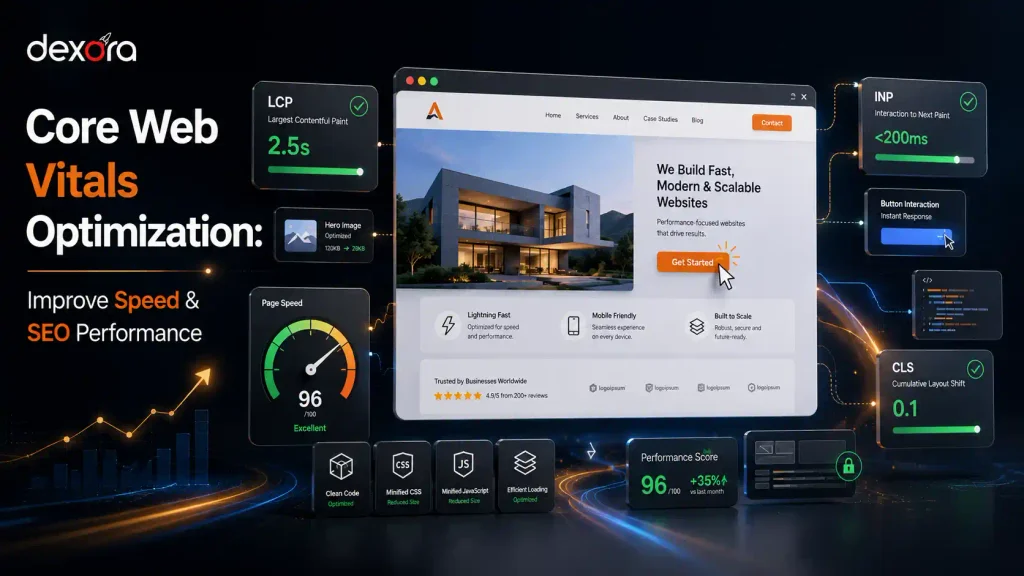
A slow website can damage user experience, reduce conversions, and limit your visibility in Google Search. Visitors expect websites to load quickly, respond instantly, and provide a smooth browsing experience without unexpected movements or delays.
Core Web Vitals optimization focuses on improving three important Google performance metrics: loading speed, responsiveness, and visual stability. These metrics help measure how real users experience your website and identify technical issues that create friction.
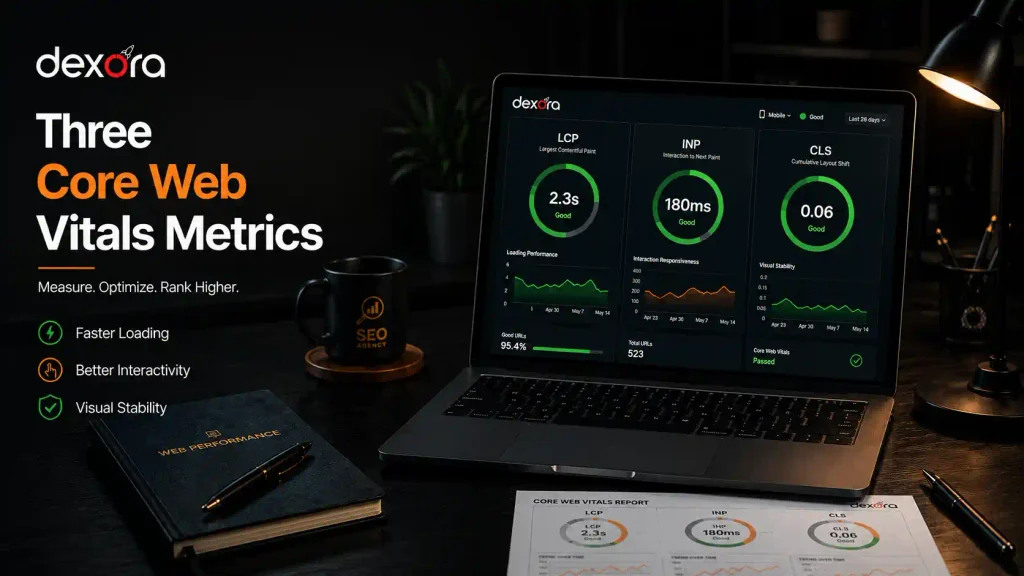
The three Core Web Vitals are:
- Largest Contentful Paint (LCP) — measures loading performance
- Interaction to Next Paint (INP) — measures website responsiveness
- Cumulative Layout Shift (CLS) — measures visual stability
Improving these metrics helps create a better experience for visitors while strengthening your overall technical SEO foundation.
A website should not only contain valuable content but also provide a fast and reliable experience. Businesses investing in SEO should combine high-quality content with a strong technical SEO strategy to improve visibility, usability, and search performance.
What Are Core Web Vitals?
Core Web Vitals are a set of user experience metrics introduced by Google to measure important aspects of website performance.
Instead of only measuring technical loading speed, Core Web Vitals focus on how users actually experience a page.
Google evaluates three main areas:
| Core Web Vital | What It Measures | Recommended Score |
| Largest Contentful Paint (LCP) | How quickly the main content loads | 2.5 seconds or faster |
| Interaction to Next Paint (INP) | How quickly the website responds | Less than 200 milliseconds |
| Cumulative Layout Shift (CLS) | How stable the page layout remains | Less than 0.1 |
These metrics represent three important questions:
- Does the page load quickly?
- Does the website respond smoothly when users interact?
- Does the content stay stable while loading?
A website that performs well across these areas provides a better experience for users on desktop and mobile devices.
Why Core Web Vitals Matter for SEO
Core Web Vitals are part of Google’s broader page experience signals. However, they should be viewed as one part of a complete SEO strategy rather than the only ranking factor.
Google prioritizes websites that provide:
- Helpful content
- Strong relevance
- Good user experience
- Secure browsing
- Mobile-friendly design
- Reliable technical performance
A website with excellent content but poor performance may still frustrate visitors. Users may leave before reading the content, submitting a form, or contacting the business.
For businesses targeting competitive search results, improving website performance can support stronger organic growth.
A complete SEO audit Finland helps identify technical barriers that may affect rankings, including slow loading pages, Core Web Vitals issues, indexing problems, and poor site architecture.
Understanding the Three Core Web Vitals Metrics
Largest Contentful Paint (LCP): Improving Loading Performance
Largest Contentful Paint measures how long it takes for the largest visible element on a webpage to appear.
This element is usually:
- Hero image
- Large banner
- Main heading
- Video
- Important content block
Google recommends an LCP score of 2.5 seconds or less for a good user experience.
A poor LCP score usually happens because of:
- Large unoptimized images
- Slow hosting
- Render-blocking CSS
- Heavy JavaScript
- Slow server response time
- Poor resource prioritization
For example, a homepage with a large 3MB hero image may look attractive but can significantly delay loading on mobile devices.
Optimize Images
Images are one of the most common causes of slow loading.
Best practices include:
- Compress images before uploading
- Use modern formats such as WebP or AVIF
- Serve correct image sizes
- Avoid oversized images
- Do not lazy-load the main hero image
The goal is to reduce file size while maintaining visual quality.
Improve Server Response Time
A slow server increases the time required before browsers can start loading page resources.
Common solutions:
- Better hosting infrastructure
- CDN implementation
- Server caching
- Database optimization
International websites targeting users in Finland or other regions should consider infrastructure that provides faster delivery to their target audience.
Reduce Render-Blocking Resources
CSS and JavaScript files can delay the browser from displaying important content.
Optimization methods include:
- Minifying CSS and JavaScript
- Removing unused code
- Loading non-critical scripts later
- Prioritizing important resources
Interaction to Next Paint (INP): Improving Website Responsiveness
Interaction to Next Paint (INP) measures how quickly a website responds when users interact with it.
These interactions include:
- Clicking buttons
- Opening menus
- Filling forms
- Selecting options
- Typing into search fields
A good INP score is 200 milliseconds or less.
A website can appear visually loaded but still feel slow if users experience delays after clicking or interacting with elements.
For example:
- A user clicks “Request a Quote” but nothing happens immediately.
- A menu takes several seconds to open.
- A form freezes while processing input.
These issues usually happen because the browser’s main thread is busy handling heavy tasks.
Common Causes of Poor INP Scores
Heavy JavaScript Execution
JavaScript is responsible for many interactive website features, but excessive JavaScript can slow down browser response times.
Common problems include:
- Large JavaScript files
- Unused scripts
- Too many third-party tools
- Complex animations
- Heavy tracking scripts
Reducing unnecessary JavaScript execution can significantly improve responsiveness.
How to Improve INP Performance
Remove Unnecessary Third-Party Scripts
Third-party scripts include:
- Analytics tools
- Chat widgets
- Social media embeds
- Marketing trackers
- External plugins
Every additional script creates more work for the browser.
Review your website scripts regularly and remove tools that are no longer needed.
Break Long JavaScript Tasks
Long tasks block the browser from responding quickly.
Developers can improve INP by:
- Splitting large scripts into smaller tasks
- Loading non-essential scripts later
- Using asynchronous loading
- Reducing main-thread workload
Optimize Interactive Elements
Buttons, forms, navigation menus, and dynamic elements should respond instantly.
Poorly optimized interactive features can increase frustration and reduce conversions.
For businesses, improving responsiveness should be part of a complete website performance optimization process that focuses on speed, usability, and technical quality.
Cumulative Layout Shift (CLS): Improving Visual Stability
Cumulative Layout Shift measures unexpected movement of elements while a webpage loads.
A good CLS score is:
Less than 0.1
A layout shift happens when content moves without user interaction.
Examples:
- A button moves just before someone clicks it
- Images push text downward after loading
- Fonts change size after rendering
- A popup suddenly covers important content
These issues create a poor user experience because visitors lose their position on the page.
Common Causes of Poor CLS Scores
Missing Image Dimensions
When browsers do not know an image size before loading, they cannot reserve the correct space.
Solution:
Add:
- Width attributes
- Height attributes
- CSS aspect ratios
This allows the browser to create the correct layout before media loads.
Poor Font Loading
Fonts can create layout shifts when:
- Custom fonts load late
- Text changes size after rendering
- Multiple font files are requested
Solutions:
- Reduce unnecessary font variations
- Preload important fonts
- Use optimized font-display settings
Popups and Dynamic Content
Popups, banners, and advertisements can damage CLS if they push existing content down.
Better practices:
- Reserve space before loading elements
- Avoid inserting content above existing content
- Use overlays instead of shifting page sections
How to Measure Core Web Vitals
Before making improvements, you need accurate performance data.
The best tools include:
Google Search Console
Google Search Console provides real user Core Web Vitals data across your website.
It helps identify:
- Pages failing Core Web Vitals
- Mobile performance problems
- Desktop performance issues
- URL groups with similar problems
PageSpeed Insights
PageSpeed Insights analyzes individual pages and provides:
- Performance score
- Lab data
- Field data
- Optimization recommendations
Use it for important pages such as:
- Homepage
- Service pages
- Landing pages
- High-traffic blog posts
Lighthouse
Lighthouse provides technical recommendations for:
- Performance
- Accessibility
- Best practices
- SEO
Developers can use Lighthouse through Chrome DevTools.
Core Web Vitals Optimization for WordPress Websites
WordPress websites often face Core Web Vitals challenges because of:
- Heavy themes
- Page builders
- Plugins
- Large media files
- Multiple scripts
A proper WordPress optimization strategy should focus on:
Optimize Images
Images are usually one of the biggest contributors to slow websites.
Recommended actions:
- Convert images to WebP
- Compress large files
- Upload correct dimensions
- Avoid unnecessary background images
- Use lazy loading for below-the-fold images
For businesses using WordPress, following a strong WordPress SEO Finland strategy helps improve both technical performance and search visibility.
Reduce Plugin Impact
Too many plugins can increase:
- JavaScript requests
- CSS files
- Database queries
- Page loading time
Review installed plugins and remove:
- Unused plugins
- Duplicate functionality
- Poorly coded extensions
Use Proper Caching
Caching reduces repeated server processing.
Common caching methods:
- Browser caching
- Page caching
- Object caching
- CDN caching
Optimize Elementor Websites
Elementor websites may experience performance issues due to:
- Large DOM size
- Excessive widgets
- Animation effects
- Multiple font requests
Optimization steps:
- Remove unnecessary widgets
- Reduce animations
- Use lightweight sections
- Optimize assets
Core Web Vitals Optimization Checklist
Use this checklist to improve website performance:
LCP Checklist
✓ Compress large images
✓ Use WebP or AVIF formats
✓ Preload important resources
✓ Improve hosting speed
✓ Remove render-blocking resources
✓ Use CDN
INP Checklist
✓ Reduce JavaScript execution
✓ Remove unnecessary scripts
✓ Delay non-essential tools
✓ Optimize interactive elements
✓ Reduce main-thread work
CLS Checklist
✓ Add image dimensions
✓ Reserve space for dynamic elements
✓ Optimize fonts
✓ Avoid intrusive popups
✓ Use stable layouts
How Long Does Core Web Vitals Optimization Take?
The timeline depends on website complexity and the number of issues.
A simple website may improve within:
- A few days to weeks
Large websites may require:
- Technical audits
- Development changes
- Continuous monitoring
The process usually includes:
- Performance audit
- Issue prioritization
- Technical implementation
- Testing
- Monitoring
A detailed free technical SEO checker can help identify technical performance issues before starting optimization work.
Core Web Vitals Optimization: Final Thoughts
Core Web Vitals optimization is not only about achieving better scores. It is about creating a website experience that helps visitors find information faster, interact easily, and trust your business.
The strongest-performing websites combine:
- Fast loading times
- Smooth interactions
- Stable layouts
- Helpful content
- Strong technical SEO foundations
Businesses should treat website performance as an ongoing process rather than a one-time task.
Regular monitoring, technical improvements, and SEO best practices help maintain strong performance as websites grow.
If your website struggles with slow loading times, poor Core Web Vitals scores, or technical issues affecting rankings, Dexora Digital can help with a complete technical SEO strategy designed to improve performance, visibility, and user experience.
Frequently Asked Questions (FAQs)
What are Core Web Vitals?
Core Web Vitals are Google performance metrics that measure website loading speed, responsiveness, and visual stability. The three metrics are LCP, INP, and CLS.
Are Core Web Vitals a Google ranking factor?
Core Web Vitals are part of Google’s page experience signals. However, they work alongside other ranking factors such as content quality, relevance, and authority.
What is a good Core Web Vitals score?
A website passes Core Web Vitals when:
- LCP is 2.5 seconds or faster
- INP is below 200 milliseconds
- CLS is below 0.1
How can I check my Core Web Vitals?
You can check Core Web Vitals using Google Search Console, PageSpeed Insights, and Lighthouse.
Why is my LCP score poor?
Common causes include:
- Large images
- Slow hosting
- Heavy scripts
- Poor resource prioritization
How do I improve INP?
Improve INP by reducing JavaScript execution, removing unnecessary scripts, and optimizing interactive website elements.
How do I fix CLS issues?
Fix CLS by adding image dimensions, optimizing fonts, reserving space for dynamic content, and avoiding layout-shifting elements.
Do Core Web Vitals affect SEO rankings?
Core Web Vitals can influence page experience evaluation, but they do not replace high-quality content and strong SEO practices.
Can plugins affect Core Web Vitals?
Yes. Poorly optimized plugins can add extra scripts, slow pages, and increase JavaScript execution.
Should I optimize Core Web Vitals before creating content?
Both are important. Technical performance helps users access content easily, while quality content helps websites rank and attract visitors.
Can Dexora Digital help improve Core Web Vitals?
Yes. Dexora Digital provides technical SEO and website optimization services to identify performance issues and improve website visibility.
Need help improving your website performance? Get a professional technical review and discover opportunities to improve speed, SEO, and user experience with Dexora Digital’s SEO services in Finland.