A potential customer submits an enquiry through your website. They are interested in your service, but your team is busy with existing projects. Several hours pass before anyone replies.
By the time your response arrives, the customer may already be talking to another provider.
This is a common problem for growing businesses. Responding quickly matters, but sending generic automated messages can create a different issue: customers feel as though nobody has understood their needs.
The solution is not choosing between automation and personal service. It is designing a follow-up process that uses technology for predictable tasks while keeping meaningful conversations in human hands.
At Dexora Digital, we help businesses consider how AI chatbots, customer management systems, and workflow automation can support lead handling without removing the personal attention customers expect.
What Is Automated Lead Follow-Up?
Automated lead follow-up uses software to send messages, update records, assign enquiries, and schedule next steps based on defined events or conditions. A workflow may begin when someone submits a contact form, downloads a resource, requests a quote, or books a consultation. The system records the enquiry and performs an appropriate next action.
For example, someone requesting a website consultation could receive an immediate confirmation explaining when the team will respond and what information would help prepare for the discussion.
A salesperson can then review the details and provide a tailored response. The automation handles acknowledgment and organization. The employee handles advice and the commercial relationship.
Why Businesses Struggle with Manual Follow-Ups
Manual follow-up becomes difficult as enquiries arrive through different channels. A business might receive messages from its website, Google Ads campaigns, social media, email, and telephone.
Without a consistent process, employees may forget to respond, misunderstand who owns an enquiry, or send repeated messages to the same person.
Delayed responses create unnecessary friction
Customers often contact a business because they need information to make a decision. A delayed response can interrupt that process. An immediate acknowledgment does not replace a useful human reply, but it can reassure the customer that the enquiry was received and explain what happens next.
Customer information becomes fragmented
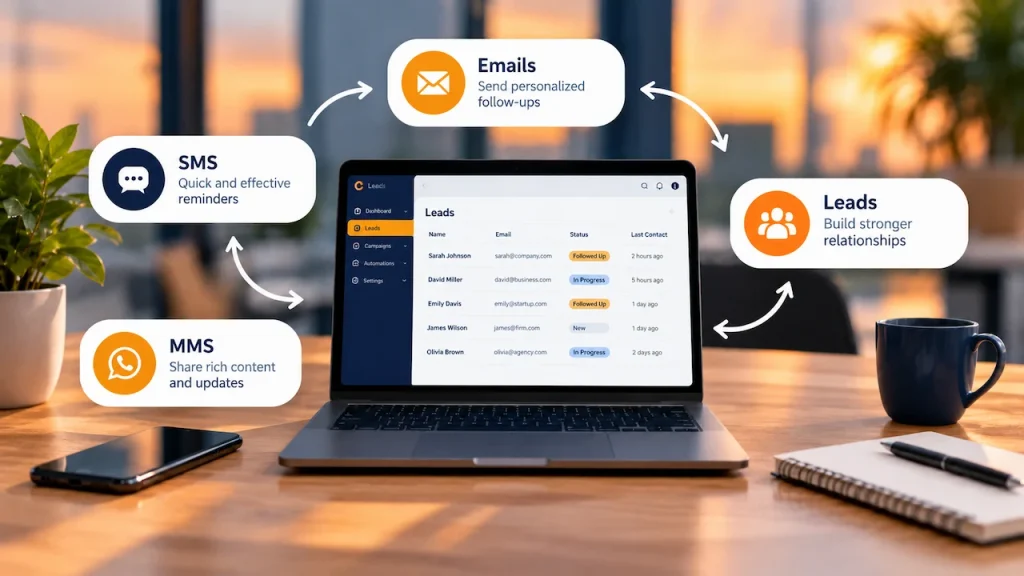
If one employee manages website forms while another handles social media enquiries, information may sit in disconnected inboxes. A CRM can organize customer information and show the current status of each conversation. This allows staff to respond with greater context rather than repeatedly asking customers to explain their needs.
Repetitive work consumes sales capacity
Employees should not have to manually copy contact details, assign basic enquiry categories, and send identical appointment reminders every day. Automation can reduce this administrative work, allowing people to focus on understanding customer requirements and preparing useful recommendations.
Why Personalization Still Matters
Personalization means making communication relevant to the individual customer’s situation. It does not require inserting someone’s first name into every message. A customer enquiring about eCommerce SEO has different needs from someone seeking a local business website.
Sending both people the same sales pitch ignores the information they already provided. Effective personalization uses relevant context, appropriate timing, and an understanding of the next step the customer expects.
Relevance matters more than familiarity
A helpful follow-up might say:
“Thank you for requesting an SEO audit for your online store. Our team will review the website address you provided and contact you about the next steps.”
This reflects the customer’s stated requirement.
A message pretending to be a personal note from a consultant who has not reviewed the enquiry would be less appropriate.
Timing should match the enquiry
Someone requesting an urgent consultation may need a faster response than someone downloading an educational guide. A workflow should distinguish these situations rather than sending everyone through the same sequence.
Human judgment remains essential
Complex proposals, complaints, unusual requirements, and sensitive customer conversations need human attention. Automation should recognize when to stop sending scheduled messages and escalate the conversation to the right person.
How to Build a Personalized Follow-Up Workflow
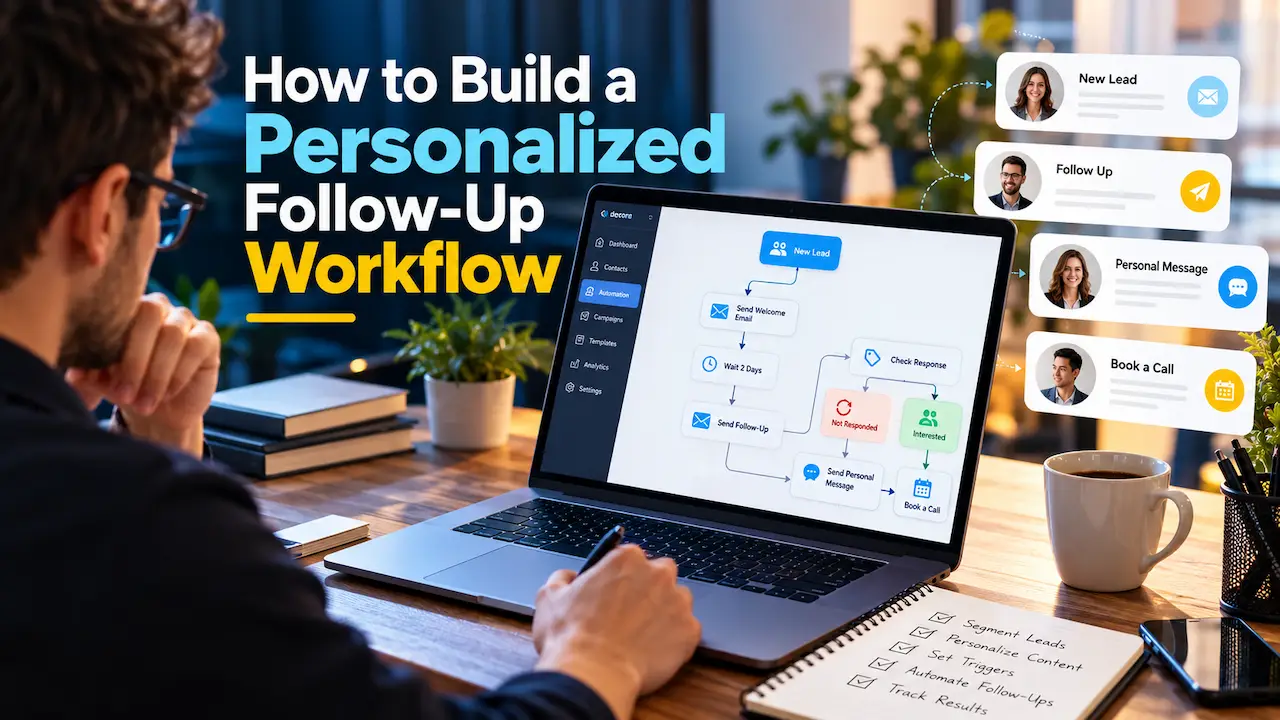
A reliable workflow begins with understanding your actual sales process. Before selecting software, document how an enquiry moves from the first contact to a completed sale or a closed opportunity.
Step 1: Identify where leads originate
List the channels that generate enquiries. These may include website forms, paid advertising, direct email, online chat, phone calls, and social media. Determine whether enquiries from each source contain sufficient information to understand customer needs. Avoid collecting more personal information than necessary.
Step 2: Capture useful customer context
A contact form might ask which service the customer needs, whether they represent a business, and what kind of help they are seeking. For a marketing agency, a website URL can provide useful context. For a contractor, project type and location may be more important.
Only collect information that helps deliver the requested service or organize a relevant response.
Step 3: Segment leads by practical needs
Segmentation allows different enquiries to receive appropriate follow-ups.
Useful categories may include:
- Service requested and project type.
- New enquiry, booked consultation, or active proposal.
- Urgency, relevant language, and preferred contact channel.
Avoid making assumptions about customer characteristics that are unrelated to the enquiry.
Step 4: Send an immediate confirmation
The first automated response should be short, accurate, and helpful. Confirm that the request was received, explain when the customer should expect a response, and provide a way to correct or add information. Do not promise a response time your business cannot consistently deliver.
Step 5: Assign the enquiry
The workflow can notify the appropriate employee or team. A technical SEO enquiry may require a different specialist from a website design request. Assignment rules should be simple enough to audit and update.
Step 6: Schedule conditional follow-ups
If the customer has not received a substantive reply, the system should alert the responsible employee. If a proposal has been sent, a later reminder may be appropriate. If the customer has booked a meeting, sales reminders should stop and appointment communications should take priority.
Step 7: Stop when the customer responds or declines
One of the most important workflow rules is knowing when not to send a message. When someone replies, books an appointment, unsubscribes, or requests no further contact, relevant automation should stop or change accordingly. This prevents awkward experiences and supports respectful communication.
Where AI Can Improve Lead Follow-Ups
AI can assist with understanding and organizing customer enquiries, but it needs clear boundaries.
Lead classification
AI tools may help classify enquiries according to their content. A message about technical website errors might be assigned to an SEO specialist, while a request for advertising management goes to another team. Staff should be able to correct mistakes easily.
Drafting contextual responses
AI can prepare a suggested response using information the customer supplied and approved business knowledge. A human can then review the response before it is sent. This is especially useful when enquiries require more detail than a standard automated acknowledgment.
Chatbot-assisted qualification
An AI chatbot may help customers describe their needs, answer routine questions, and collect information for a consultation. The chatbot should clearly communicate its role, avoid inventing promises, and provide a way to reach a human.
Summarizing conversations
For longer enquiries, AI can create a summary for the employee taking over the conversation. This reduces repetition while allowing staff to verify the original information before acting.
An Example Follow-Up Workflow for a Finnish Service Business
Imagine a business in Helsinki receives a request for a website redesign. The visitor submits a form containing their website, project goals, and contact details. The system immediately sends confirmation and creates a CRM record. An internal notification goes to the relevant team member. The employee reviews the website and responds with appropriate questions or next steps.
If a consultation is booked, the CRM changes the lead’s status and triggers an appointment confirmation. If a proposal is later sent, the workflow can remind the responsible employee to follow up after a suitable interval.
Should the customer reply, decline the proposal, or request that messages stop, the automation updates accordingly.
At each stage, software manages predictable tasks while employees retain responsibility for the customer’s actual needs.
Choosing the Right CRM and Automation Tools
The best platform depends on existing systems, enquiry volume, staff capacity, and integration requirements. Small businesses may need only basic CRM tracking and simple email workflows.
Larger organizations may require lead routing, reporting, multiple communication channels, and integrations with advertising platforms.
Before choosing a tool, check whether it can reliably prevent duplicate messages, record consent preferences, handle replies, and provide clear workflow logs.
Also consider how easily employees can update sequences when business processes change. Buying a sophisticated system is not useful if nobody can maintain it.
GDPR and Privacy Considerations for Finnish Businesses
Lead automation involves processing personal information, so privacy should be part of the workflow design. Businesses operating in Finland generally need to consider applicable GDPR and electronic marketing requirements. The lawful basis for sending a message can depend on its purpose, the relationship with the recipient, and the communication channel.
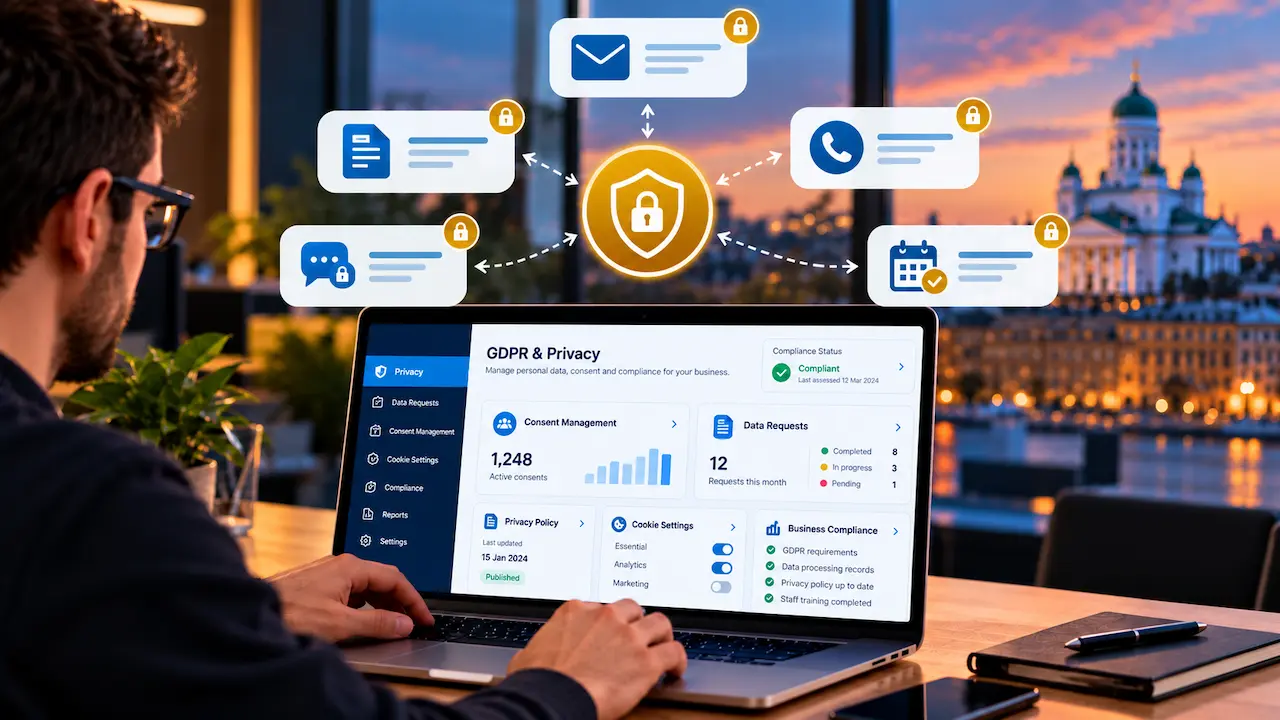
An acknowledgment of a requested enquiry is not automatically equivalent to permission for an ongoing promotional email campaign.
Businesses should explain relevant data processing, respect communication preferences, apply appropriate retention periods, and limit access to customer information. Third-party CRM and AI tools also deserve review for contractual safeguards, data transfers, and security.
Our privacy policy provides an example of where a business publishes information about its data practices. For important compliance decisions, obtain advice appropriate to your actual processing activities.
How to Measure Automated Follow-Up Performance
Automation should improve customer experience and sales operations, not simply increase the number of messages sent.
Useful measurements include the time between an enquiry and the first meaningful response, the number of enquiries assigned correctly, consultation booking rates, proposal progression, and qualified conversions.
Customer complaints, opt-outs, and duplicate communication incidents are also important. A workflow generating more messages but lower customer satisfaction should be reviewed.
Compare performance before and after implementation while considering changes in campaign quality, enquiry volume, and seasonality.
Common Lead Automation Mistakes
The first mistake is automating a process that nobody has documented. If employees disagree about how enquiries should be handled, software will make those inconsistencies harder to manage. Another mistake is sending too many reminders.
A lead who has not responded may be busy, uninterested, or evaluating alternatives. More frequent messages do not necessarily create more trust. Businesses should also avoid fabricated personalization, such as claiming to have reviewed a customer’s website when nobody has done so.
Finally, automation must be maintained. Forms, CRM fields, routing rules, and email connections can change. Regular testing is necessary to ensure messages still reach the right people.
Frequently Asked Questions
Can small businesses automate lead follow-ups?
Yes. A basic form confirmation, CRM notification, and reminder workflow can help even a small team manage enquiries more consistently.
Can AI write personalized follow-up emails?
AI can draft responses based on permitted customer information and approved business context. Important claims and more complex messages should be reviewed before sending.
How many follow-up messages should businesses send?
There is no universal number. The appropriate frequency depends on the enquiry, customer expectations, communication channel, and applicable marketing requirements.
Will automation replace the sales team?
Automation can reduce repetitive administration, but employees remain important for understanding customer needs, building trust, and handling complex decisions.
How do you prevent automated messages from feeling robotic?
Use relevant context, communicate clearly, avoid unnecessary messages, and transfer conversations to a human when genuine discussion is needed.
Build Follow-Ups Around Better Customer Experiences
Successful lead follow-up automation is not about removing people from the sales process.
It is about helping employees respond more consistently, reducing administrative delays, and giving customers relevant information at the right time.
At Dexora Digital, we help businesses explore AI chatbots, workflow automation, website lead capture, and practical digital systems that support growth.
If your current enquiry process is difficult to manage, contact our team to discuss how a more structured automation workflow could support your business.