
A technical SEO checklist helps determine whether search engines can reliably discover, crawl, render, understand and index the pages that matter to your business.
A website can have strong content and attractive design but still underperform when its technical foundation contains indexing conflicts, broken internal paths, incorrect canonical signals, rendering problems or poor mobile performance.
That is why our technical SEO work starts with diagnosis rather than assumptions.
This is the 30-point framework we use to structure a technical website review in 2026. It is designed for Finnish business websites, service companies, ecommerce sites and multilingual businesses that need a repeatable audit rather than another generic SEO checklist.
Google’s own documentation makes the sequence important. Search engines first need to find and access content before they can process it for Search. Google also uses the mobile version of a website for indexing and ranking.
What Does a Technical SEO Audit Actually Check?
Technical SEO examines the infrastructure behind organic visibility.
It is different from keyword research or content optimization. The main question is:
Can search engines efficiently access the right pages, understand their relationships and process the experience users receive?
A technical audit normally moves through four states:
| Audit Stage | Main Question | Example Problem |
| Discovery | Can crawlers find the URL? | Orphan page |
| Crawling | Can the URL be accessed? | robots.txt block |
| Indexing | Should this version enter Google’s index? | Incorrect noindex or canonical |
| Experience & Understanding | Can Google and users process it properly? | Poor CWV, rendering or schema errors |
This distinction matters because an indexing problem should not automatically be treated as a content problem, and a page-speed problem should not automatically be treated as a crawling problem.
If you want a quick starting point before completing the full checklist, use the Dexora Technical SEO Checker to identify areas that need deeper investigation.
How We Prioritize Technical SEO Issues
Not every warning deserves the same level of attention.
A useful audit separates critical blockers, performance constraints and lower-priority improvements.
An accidental noindex on a revenue-generating page deserves immediate attention. A minor optional schema warning may not.
We normally prioritize technical findings according to four considerations: whether the issue prevents crawling or indexing, how many important URLs are affected, whether users are affected, and whether fixing it can materially improve organic performance.
This prevents technical SEO from becoming a long list of tasks with no relationship to business impact.
Google also advises site owners to evaluate page experience as a combination of factors rather than trying to optimize one isolated metric to perfection.
Phase 1: Crawlability and Indexing Checks

The first part of our technical SEO checklist establishes whether search engines can reach and index the correct URLs.
1. Crawl the Website
We begin with a full crawl to establish the site’s actual URL inventory.
The crawl can expose broken URLs, redirects, duplicate pages, orphaned content, status-code problems and inconsistent metadata that are difficult to identify manually.
2. Review robots.txt
The robots.txt file controls crawler access to parts of a website, but it should not be confused with an indexing-control mechanism.
Google specifically explains that robots.txt manages crawler access and should not be used as the primary method for keeping a normal webpage out of Search.
We check that important services, articles, scripts and resources are not accidentally blocked.
3. Validate the XML Sitemap
Next, we examine whether the XML sitemap exists, loads correctly and represents the URLs the business actually wants search engines to discover.
Google describes sitemaps as files that communicate important URLs and relationships between website resources.
Redirected, broken or intentionally non-indexable URLs should not unnecessarily populate the main sitemap.
4. Compare the Sitemap With Crawlable URLs
Having a valid sitemap does not mean every important URL is technically healthy.
We compare sitemap URLs with crawl results to find inconsistencies such as indexable pages missing from the sitemap or redirected URLs still being submitted.
5. Review Search Console Page Indexing
The audit then moves to Google’s actual indexing data.
We investigate important URLs reported as excluded, crawled but not indexed, discovered but not indexed, blocked, redirected or associated with canonicalization issues.
The goal is not to force every URL into Google’s index. It is to determine whether valuable pages are being excluded for the wrong reason.
6. Inspect Priority URLs Individually
Google Search Console’s URL Inspection tool can show information about Google’s indexed version of a URL and whether a live URL may be indexable.
We use it on major service, location, category and conversion pages rather than relying only on site-wide reports.
7. Audit Meta Robots and X-Robots-Tag Rules
A single unwanted noindex directive can remove an important page from Search.
We check both HTML robots directives and relevant HTTP headers because indexing controls can be implemented at different levels. Google supports robots directives through both page-level meta tags and the X-Robots-Tag HTTP header.
8. Check for Orphan Pages
An orphan page has no meaningful internal path from the rest of the website.
Because Google commonly discovers pages through links, important pages should be integrated into the site’s architecture rather than depending exclusively on sitemap discovery.
You can also run the free version of the technical SEO checker before requesting a manual audit.
Phase 2: URLs, Architecture and Search Signals

Once discovery and indexation are understood, we examine how URLs relate to one another.
9. Check HTTP Status Codes
Important indexable URLs should normally return the intended successful response, while removed, redirected and unavailable resources should return appropriate HTTP status codes.
We pay particular attention to internal 404s, server errors and misleading soft-404 behavior.
10. Find Broken Internal Links
Broken internal links interrupt user journeys and crawler paths.
They often appear after service changes, deleted articles, migrations or URL restructuring.
The preferred fix depends on whether the destination has moved, been replaced or genuinely no longer exists.
11. Audit Redirects
Redirects are necessary when URLs move, but they need to be intentional.
For permanent URL changes, Google recommends permanent server-side redirects such as 301 or 308 whenever possible.
12. Detect Redirect Chains and Loops
A redirect that points to another redirect creates an unnecessarily long path.
More serious configurations can create loops where neither users nor crawlers reach the intended destination.
The audit maps these paths and identifies opportunities to point directly to the final URL.
13. Validate Canonical Tags
Canonicalization helps Google determine the representative URL when several pages contain duplicate or very similar content.
We check whether canonical signals point toward the preferred live page and whether Google is selecting a different canonical than the website specifies.
14. Review Duplicate URL Variations
Tracking parameters, filters, print versions, HTTP/HTTPS variations and other URL patterns can create multiple crawlable versions of similar content.
The appropriate response may involve canonicals, redirects, internal-link cleanup or better platform configuration.
15. Review Site Architecture and Click Depth
Important revenue pages should not be buried behind unnecessary layers.
We review how the homepage, service pages, supporting content and conversion pages connect to one another.
For Dexora, this includes maintaining strong contextual paths between educational content and relevant SEO services in Finland.
Phase 3: Performance, Mobile and Rendering
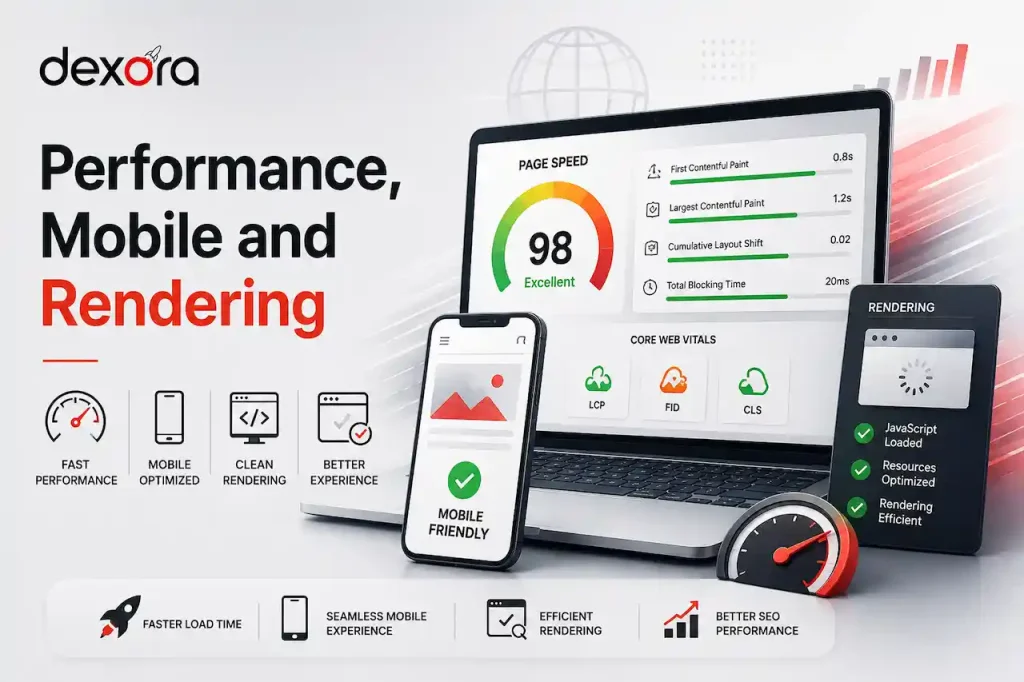
Technical accessibility does not end when a crawler receives a 200 status.
The page must also render properly and provide a usable experience.
16. Measure Core Web Vitals
Google’s current Core Web Vitals are LCP, INP and CLS, covering loading performance, interaction responsiveness and visual stability.
Google’s recommended thresholds for a good experience are an LCP within 2.5 seconds, INP below 200 milliseconds and CLS below 0.1.
We use these as diagnostic thresholds, not as a promise that perfect scores automatically produce rankings.
17. Identify the Largest Contentful Paint Element
A poor LCP score often needs element-level investigation.
Instead of simply reporting “the website is slow,” we identify what the browser treats as the largest visible content element and what delays it.
18. Review Image Delivery
Large or poorly delivered imagery can increase page weight and delay visible content.
Image auditing considers dimensions, modern formats, compression, responsive delivery and whether lazy loading is being used appropriately.
19. Review JavaScript and CSS Overhead
Modern websites can accumulate scripts through themes, plugins, analytics, widgets and advertising platforms.
We examine whether unnecessary execution or render-blocking assets are delaying useful content.
20. Test JavaScript Rendering
A page that appears complete to a visitor may expose different content to a crawler when important components rely heavily on client-side JavaScript.
Google can process JavaScript, but its documentation still identifies specific rendering considerations developers need to account for.
We therefore verify that meaningful page text, links and navigation are available as expected.
21. Compare Mobile and Desktop Content
Google uses the mobile version of website content for indexing and ranking.
The audit checks whether important text, links, structured data, images and metadata remain accessible on mobile instead of disappearing through responsive-design decisions.
Where performance problems require development rather than simple SEO configuration, they can be escalated to the website development team.
Phase 4: Structured Data, International SEO and Security

The next checks help search engines interpret pages correctly and are particularly relevant to businesses operating in Finland with multilingual audiences.
22. Validate Structured Data
Structured data gives search engines explicit information about the meaning and type of content on a page.
Google describes structured data as a standardized format that can help it understand page content and, for supported types, make pages eligible for richer search experiences.
We validate both syntax and whether the markup accurately reflects visible content.
23. Match Schema to Page Type
Adding every available schema type is not an optimization strategy.
Article markup should describe an article, organization information should accurately describe the organization, and service-related data must remain consistent with visible page information.
24. Audit Hreflang on Multilingual Websites
For Finnish companies publishing Finnish and English versions, language targeting requires additional technical review.
Google recommends separate URLs for language variants and supports hreflang annotations to connect localized versions.
We check reciprocal annotations, language codes, canonical relationships and missing variants.
25. Verify HTTPS and Preferred Host Consistency
The audit checks that secure HTTPS URLs are used consistently and that HTTP, www and non-www variations resolve toward the intended preferred host.
Security and secure delivery are also part of the broader page-experience assessment Google recommends site owners consider.
26. Review AI Crawler Accessibility Where Relevant
Technical SEO increasingly overlaps with AI-assisted discovery.
The first priority remains a technically accessible website. Google’s guidance for its AI search features still emphasizes crawl access, internal discoverability, textual content, page experience and structured data that matches visible content.
This means businesses interested in AI search optimization in Finland should not neglect conventional technical SEO.
Phase 5: Internal Signals, Measurement and Validation

The final stage connects technical health with how the website actually performs.
27. Audit Internal Linking
We examine whether priority commercial pages receive useful contextual links from relevant pages.
Anchor text should help users understand the destination instead of relying repeatedly on generic phrases such as “click here.”
Strong internal architecture also supports the broader search engine optimization service by connecting topic clusters with conversion pages.
28. Identify Internal Competition and Duplicate Intent
Two technically indexable pages can still compete unnecessarily when they serve nearly identical search intent.
The audit therefore checks whether consolidation, differentiation, canonicalization or improved internal linking is appropriate.
29. Verify Analytics and Conversion Tracking
Technical SEO should connect to commercial outcomes.
We validate whether important actions such as contact submissions, calls, consultations and other conversions are being measured correctly.
This helps distinguish an SEO improvement from a technical fix that produces no measurable business impact.
30. Re-Crawl and Validate Every Important Fix
The audit does not end when a developer marks an issue as complete.
We re-crawl affected URLs, repeat relevant tests and verify important pages through Google tools when necessary.
Validation is particularly important after migrations, indexing changes, canonical updates, redirect work and schema deployments.
This final step is what turns a technical recommendation into a confirmed technical improvement.
Examples of the kind of implementation-focused work we use to evaluate outcomes can also be reviewed in the Dexora Digital portfolio.
How Often Should a Website Run This Technical SEO Checklist?
There is no universal six-month rule that fits every website.
A relatively stable small business website may need a comprehensive audit less frequently, while an ecommerce platform, SaaS website or rapidly expanding publication can require continuous monitoring.
A fresh audit is particularly valuable after a migration, CMS change, redesign, major URL restructure or unexplained organic visibility decline.
Google itself continues to update Search systems and documentation, so technical assumptions should be periodically validated rather than treated as permanent rules.
For most businesses, the better principle is:
Audit deeply when the website changes, monitor continuously where risk is high, and validate after every material technical fix.
Frequently Asked Questions
What is a technical SEO checklist?
A technical SEO checklist is a structured process for checking whether search engines can crawl, render, understand and index a website correctly while users receive a fast, secure and usable experience.
What is included in a technical SEO audit?
A technical audit normally examines crawlability, indexation, robots directives, sitemaps, canonicals, redirects, broken links, architecture, mobile rendering, Core Web Vitals, JavaScript, structured data, security and international targeting.
Why is technical SEO important in Finland?
Finnish businesses competing through organic search need technically accessible websites just like businesses elsewhere. Multilingual Finnish-English sites can introduce additional considerations involving localized URLs, hreflang, canonicals and content parity.
Can technical SEO improve Google rankings?
Technical improvements can remove barriers that restrict crawling, indexing or user experience. They do not guarantee rankings because Google evaluates many signals, but they help establish the foundation required for organic performance.
What are the most important technical SEO checks?
Start with whether priority pages are crawlable, indexable and correctly canonicalized. Then review internal architecture, status codes, rendering, mobile content and performance before moving toward lower-priority enhancements.
How do I know whether Google has indexed my page?
Use Google Search Console’s URL Inspection tool to review Google’s indexed information for a specific URL and test whether its current live version may be indexable.
Does robots.txt prevent a page from being indexed?
Not reliably. Google states that robots.txt controls crawler access rather than serving as the correct method for preventing normal webpages from appearing in Search results.
What Core Web Vitals should I check in 2026?
The Core Web Vitals are Largest Contentful Paint, Interaction to Next Paint and Cumulative Layout Shift. They assess loading performance, responsiveness and visual stability using real-world user-experience concepts.
Does every website need structured data?
Not every page needs special structured data. Where relevant supported markup exists, it should accurately describe visible content and follow Google’s guidelines rather than being added simply to increase schema quantity.
Do Finnish-English websites need hreflang?
When separate URLs contain localized versions intended for different languages or regions, hreflang can help Google understand their relationship and serve the appropriate version in Search.
How long does a technical SEO audit take?
There is no reliable universal duration. Audit depth depends on website size, platform, JavaScript complexity, number of indexable URLs, international setup, available Search Console data and the issues discovered.
Should technical SEO fixes be tested again after implementation?
Yes. Important fixes should be re-crawled and validated after deployment. Without post-fix testing, an implementation may remain incomplete or introduce a new conflict elsewhere on the website.
Can I test technical SEO myself?
Yes. Automated tools can identify many initial issues, but interpretation still matters. A reported warning is not automatically a high-priority SEO problem; its impact must be assessed against the affected pages.
Test Your Website Before Technical Problems Cost You Visibility
Not sure which of these 30 checks your website passes?
Start with the Dexora Technical SEO Checker to test your website and identify areas that deserve closer investigation.
If you want the findings reviewed by an SEO specialist, request a free SEO audit from Dexora Digital.
We will identify the technical issues with the greatest potential impact, separate important problems from low-value warnings, and show you where to focus first.
For a tailored technical SEO discussion, contact Dexora Digital.